
2.5 KiB
2.5 KiB
proxmoxbackupclient_go-GUI
A lightweight PowerShell-based Graphical User Interface for the proxmox-backup-client-go by tizbac. This tool simplifies managing directory and physical drive backups to a Proxmox Backup Server (PBS) from Windows machines.
Features
- Dual Mode Backup: Supports both
pbsdirectorybackup.exe(for folders) andpbsmachinebackup.exe(for physical disk images). - Automated Scheduling: Easily register backup jobs in the Windows Task Scheduler to run under the
SYSTEMaccount. - Auto-Elevation: Automatically requests Administrator privileges required for VSS snapshots and disk access.
- Physical Drive Mapping: Automatically detects and correctly formats physical drive paths (e.g.,
\\.\PhysicalDrive0) to avoid common CLI syntax errors. - Job Management: Save, edit, and delete multiple backup configurations in a local
backup_jobs.jsonfile.
Prerequisites
- Download the latest Windows release of
proxmox-backup-client-gofrom tizbac's repository. - Extract the executables (
pbsdirectorybackup.exeandpbsmachinebackup.exe) into the same folder as this script.
Setup & Usage
- Place
proxmoxclient_go_gui.ps1in the directory containing the PBS executables. - Right-click the script and select Run with PowerShell.
- Fill in your PBS details (URL, Fingerprint, Token, Secret).
- Select Directory or Machine mode and choose your source.
- Click Save Job, then either Run Backup Now to test or Automate in Task Scheduler for recurring backups.
Screenshots
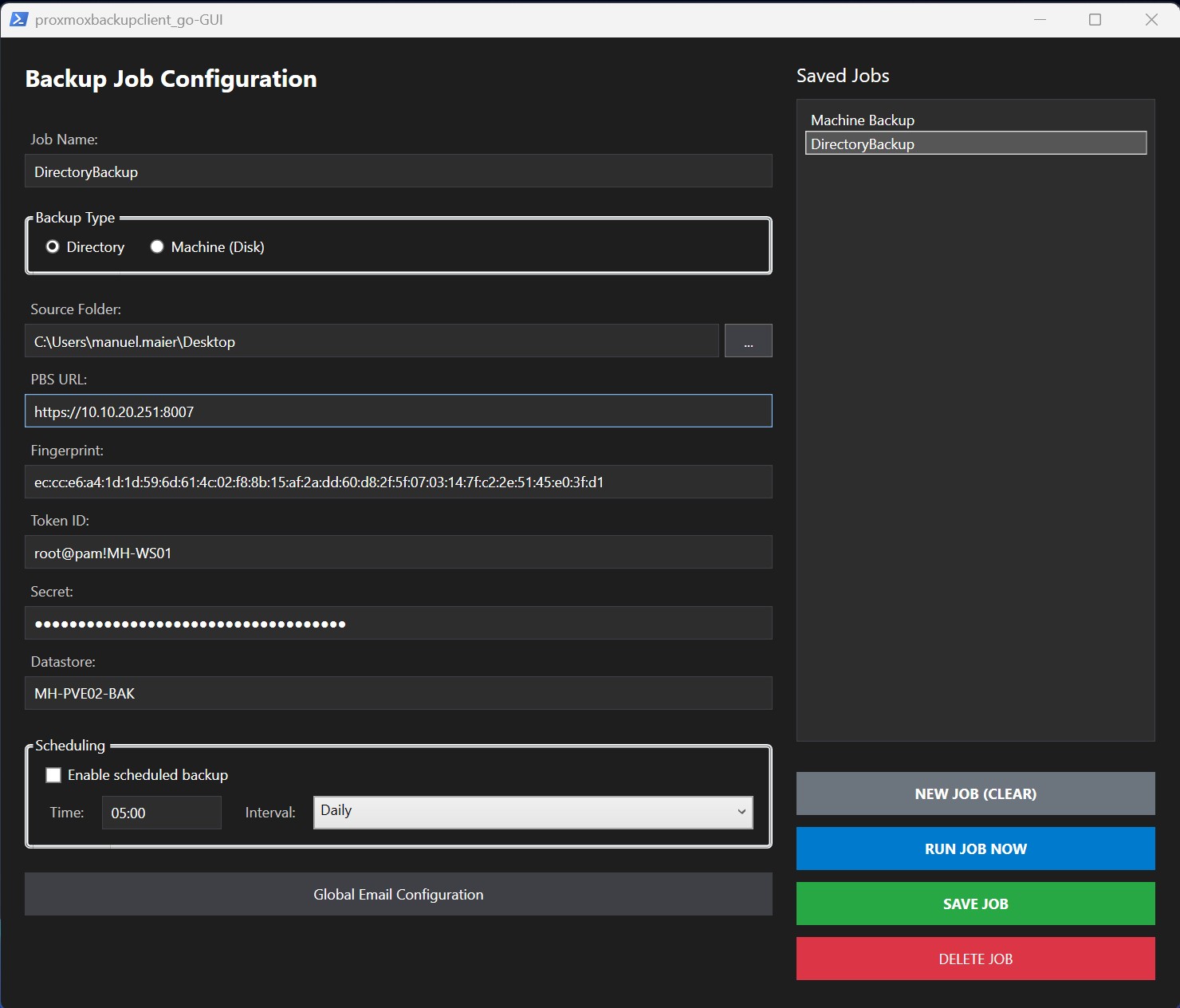
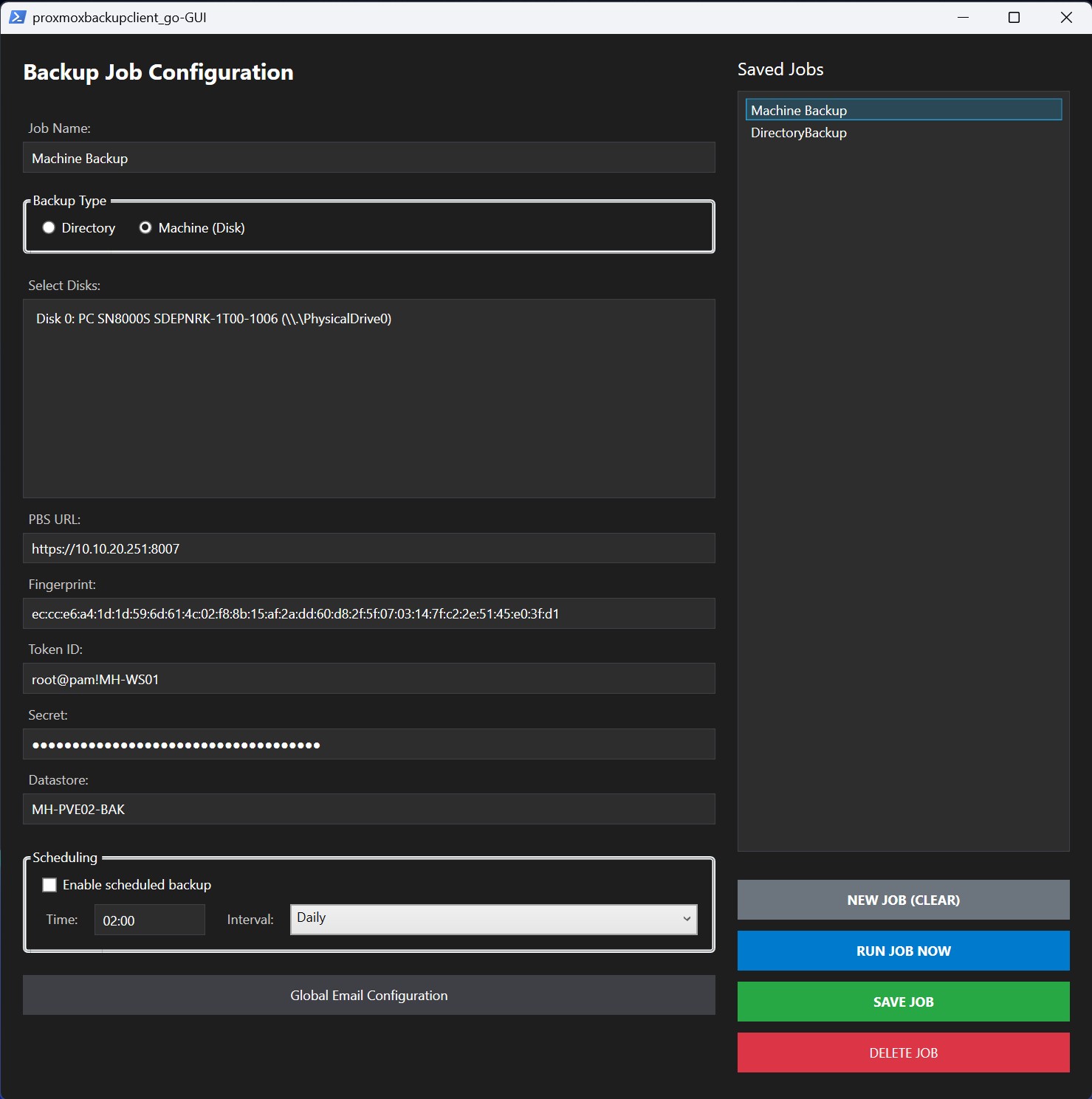
The interface provides a clean, slate-blue themed dashboard for easy configuration.
Credits
- Core CLI: This GUI is a wrapper for the excellent work by tizbac.
- GUI Development: This interface was developed and refined with the assistance of Gemini (Google AI) to ensure robust error handling and seamless Windows integration.
License & Disclaimer
THE SOFTWARE IS PROVIDED "AS IS", WITHOUT WARRANTY OF ANY KIND. The authors and contributors are not liable for any data loss, system damage, or other issues arising from the use of this script or the underlying backup tools. Use at your own risk. Always verify your backups regularly.